


04/09/2026
Creating Moving Artwork from Digital Illustrations
A digital illustration can hold an incredible amount of detail, careful shading, atmospheric lighting, a composition built to draw the eye exactly where the artist wants it. But no matter how much craft goes into it, it's still a single frozen frame competing for attention in feeds full of moving content.
Image to video tools give that artwork a way to finally breathe, adding just enough motion to turn a still piece into a short, living scene. Dreamina, running on its most advanced video generation model, Seedance 2.5, makes that shift accessible to illustrators without requiring animation training.
A lot of digital art is already built around implied atmosphere, light filtering through leaves, mist settling over water, glowing particles drifting through a scene. Motion doesn't change the artwork's intent; it simply lets that atmosphere actually happen instead of being suggested through brushwork alone, giving the piece a second life beyond the frame it was originally painted into.
There are several key traits that the best animated illustrations have in common, but most of them are about restraint rather than about making any grand gestures:
• Motion that is consistent with the painting style without being too polished
• Small effects such as floating lights, mist or particles instead of major actions
• Slow movement that creates a meditative feeling rather than fast-paced scenes
• Focus that does not leave the initial focal point of the composition
Step 1: Import your illustration and describe its motion
Log in to Dreamina and go to the "AI Video" tab. Press the "Add reference image" button to import your painting and enter a prompt for its motion generation.
Use this description: "Generate a 30-second video using this forest illustration as reference image where fireflies float slowly across the painting, leaves sway softly above them, and light shifts smoothly through the mist, preserving the painterly look of the illustration."
Step 2: Generate with Seedance 2.5
Select the Seedance 2.5 model, choose your video length, then pick an aspect ratio — 16:9 for a portfolio piece or gallery display, 9:16 for social sharing. Click Dreamina's generate icon and let the artwork come to life.
Step 3: Refine and export the finished piece
Use Dreamina's editing tools to polish it. Upscale for richer detail and texture, generate a soundtrack for an ambient score that matches the mood, then export and share it as finished animated artwork.
Seedance 2.5, Dreamina's most advanced video generation model, is particularly suited to the delicate, style-preserving motion illustration work depends on.
Emotional tone that survives the motion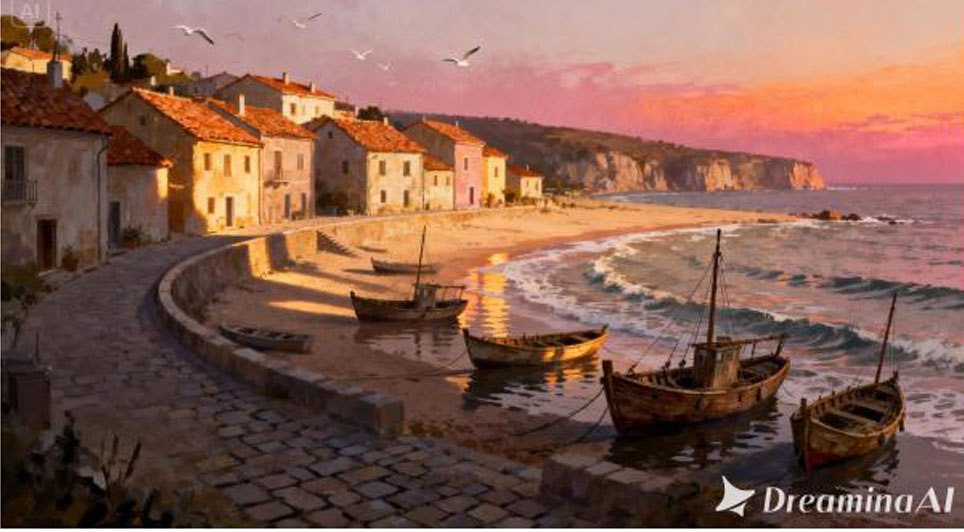 Style-aware creative transfer captures the emotional tone and visual style of the original piece, so the mood the artist built into the work carries through into the animation.
Brushwork that stays believable
Reduced "AI look" keeps brushwork and painterly texture believable rather than flattened, preserving the handmade quality that made the piece distinctive in the first place.
Adjustments without a full redo
Local editing allows one detail, like a light source or small object, to be adjusted without regenerating the whole scene, saving time on minor fixes.
Room for a longer ambient loop
Extended duration up to 180 seconds in Ultra-long mode supports a longer ambient loop, and stray subtitles or unwanted background audio are removed automatically, keeping the file clean for gallery or portfolio use.
Naming the specific atmospheric elements you want moving — light, mist, particles — while asking the model to preserve the original texture helps keep the animation feeling like the same piece of art, just finally in motion.
A shorter, looping clip works well for a social post or portfolio preview, while a longer version suits a gallery installation or a standalone piece meant to be experienced slowly, without any rush to get to an ending.
One can find it very interesting to animate all the visible elements of a particular illustration; however, one needs to be cautious with this approach because sometimes less is more. Selecting only one or two elements such as lighting or the floating object creates a more atmospheric feeling than the animation of the entire illustration at once. People perceive a gently animated piece as an intended and painterly one, while the one filled with movements can look like a slide show rather than art.
A few habits tend to weaken the final result:
• Adding motion effects that don't match the artwork's original mood
• Overanimating the piece until it no longer reads as illustration
• Choosing a pace too fast for the calm, atmospheric quality most illustrations rely on
• Losing the original color balance once lighting effects are introduced
This format shows up in artist portfolios, gallery installations, print-to-digital campaigns, and social content for illustrators building an audience, where a piece that moves tends to hold attention far longer than the same artwork sitting still in a feed. Digital galleries have also started favoring animated pieces as a way to differentiate exhibited work online.
A digital illustration was always suggesting a world beyond the frame, motion just finally lets that world exist. With Dreamina and the style-aware precision behind Seedance 2.5, a still piece of art can finally breathe the way it always looked like it was about to, without losing the brushwork that made it worth looking at twice.
Image to video tools give that artwork a way to finally breathe, adding just enough motion to turn a still piece into a short, living scene. Dreamina, running on its most advanced video generation model, Seedance 2.5, makes that shift accessible to illustrators without requiring animation training.
Why illustrations benefit from subtle motion
A lot of digital art is already built around implied atmosphere, light filtering through leaves, mist settling over water, glowing particles drifting through a scene. Motion doesn't change the artwork's intent; it simply lets that atmosphere actually happen instead of being suggested through brushwork alone, giving the piece a second life beyond the frame it was originally painted into.
Characteristics of a deliberate animated illustration
There are several key traits that the best animated illustrations have in common, but most of them are about restraint rather than about making any grand gestures:
• Motion that is consistent with the painting style without being too polished
• Small effects such as floating lights, mist or particles instead of major actions
• Slow movement that creates a meditative feeling rather than fast-paced scenes
• Focus that does not leave the initial focal point of the composition
Animating your illustration using Dreamina
(See the image below)Step 1: Import your illustration and describe its motion
Log in to Dreamina and go to the "AI Video" tab. Press the "Add reference image" button to import your painting and enter a prompt for its motion generation.
Use this description: "Generate a 30-second video using this forest illustration as reference image where fireflies float slowly across the painting, leaves sway softly above them, and light shifts smoothly through the mist, preserving the painterly look of the illustration."
Step 2: Generate with Seedance 2.5
Select the Seedance 2.5 model, choose your video length, then pick an aspect ratio — 16:9 for a portfolio piece or gallery display, 9:16 for social sharing. Click Dreamina's generate icon and let the artwork come to life.
Step 3: Refine and export the finished piece
Use Dreamina's editing tools to polish it. Upscale for richer detail and texture, generate a soundtrack for an ambient score that matches the mood, then export and share it as finished animated artwork.
What Seedance 2.5 brings to illustrated motion
Seedance 2.5, Dreamina's most advanced video generation model, is particularly suited to the delicate, style-preserving motion illustration work depends on.
Emotional tone that survives the motion
Brushwork that stays believable
Reduced "AI look" keeps brushwork and painterly texture believable rather than flattened, preserving the handmade quality that made the piece distinctive in the first place.
Adjustments without a full redo
Local editing allows one detail, like a light source or small object, to be adjusted without regenerating the whole scene, saving time on minor fixes.
Room for a longer ambient loop
Extended duration up to 180 seconds in Ultra-long mode supports a longer ambient loop, and stray subtitles or unwanted background audio are removed automatically, keeping the file clean for gallery or portfolio use.
Writing prompts that protect the artistic style
Naming the specific atmospheric elements you want moving — light, mist, particles — while asking the model to preserve the original texture helps keep the animation feeling like the same piece of art, just finally in motion.
Choosing the right length for the piece
A shorter, looping clip works well for a social post or portfolio preview, while a longer version suits a gallery installation or a standalone piece meant to be experienced slowly, without any rush to get to an ending.
Giving breathing room to the work by not explaining it too much
One can find it very interesting to animate all the visible elements of a particular illustration; however, one needs to be cautious with this approach because sometimes less is more. Selecting only one or two elements such as lighting or the floating object creates a more atmospheric feeling than the animation of the entire illustration at once. People perceive a gently animated piece as an intended and painterly one, while the one filled with movements can look like a slide show rather than art.
Mistakes that undercut an illustration animation
A few habits tend to weaken the final result:
• Adding motion effects that don't match the artwork's original mood
• Overanimating the piece until it no longer reads as illustration
• Choosing a pace too fast for the calm, atmospheric quality most illustrations rely on
• Losing the original color balance once lighting effects are introduced
Where animated illustrations get the most use
This format shows up in artist portfolios, gallery installations, print-to-digital campaigns, and social content for illustrators building an audience, where a piece that moves tends to hold attention far longer than the same artwork sitting still in a feed. Digital galleries have also started favoring animated pieces as a way to differentiate exhibited work online.
A digital illustration was always suggesting a world beyond the frame, motion just finally lets that world exist. With Dreamina and the style-aware precision behind Seedance 2.5, a still piece of art can finally breathe the way it always looked like it was about to, without losing the brushwork that made it worth looking at twice.
Related Northern Ireland News Stories
Click here for the latest headlines.
04 February 2016
Lisburn Train Hit Piece Of Construction Equipment - Translink
A train has struck a piece of construction equipment on the railway line in Lisburn, Translink has confirmed. The incident happened at around 6.45am on Thursday and disruption was caused to some train services. No-one was injured in the incident.
Lisburn Train Hit Piece Of Construction Equipment - Translink
A train has struck a piece of construction equipment on the railway line in Lisburn, Translink has confirmed. The incident happened at around 6.45am on Thursday and disruption was caused to some train services. No-one was injured in the incident.
26 August 2025
Lisburn Production Company Expands With Go Succeed Support
A Lisburn-based video production company, Speed Motion Films, is set to expand after receiving mentoring and funding from the government-backed business support service, Go Succeed. The company, which was established over a decade ago by Damien Gallagher, plans to use the Go Succeed grant to invest in its in-house studio and drone equipment.
Lisburn Production Company Expands With Go Succeed Support
A Lisburn-based video production company, Speed Motion Films, is set to expand after receiving mentoring and funding from the government-backed business support service, Go Succeed. The company, which was established over a decade ago by Damien Gallagher, plans to use the Go Succeed grant to invest in its in-house studio and drone equipment.
04 September 2013
Minister Welcomes Progress Made To Restore Teenage Kicks Mural
Alliance East Belfast MLA Chris Lyttle has confirmed he has held meetings with government officials, youth and community workers and community artists with the aim of restoring the 'Teenage Kicks' mural at Bridge End.
Minister Welcomes Progress Made To Restore Teenage Kicks Mural
Alliance East Belfast MLA Chris Lyttle has confirmed he has held meetings with government officials, youth and community workers and community artists with the aim of restoring the 'Teenage Kicks' mural at Bridge End.
14 August 2012
Sandy Row Artwork Has An Eye On The Past
A new artwork has been unveiled, highlighting the local history of Sandy Row and the surrounding area. The 30-feet long art piece, by Belfast artist Ed Reynolds, runs along a wall in Stroud Street, bordering the adjoining St George's Gardens.
Sandy Row Artwork Has An Eye On The Past
A new artwork has been unveiled, highlighting the local history of Sandy Row and the surrounding area. The 30-feet long art piece, by Belfast artist Ed Reynolds, runs along a wall in Stroud Street, bordering the adjoining St George's Gardens.
27 November 2009
Sweet Arch Opened In Stranmillis
As part of the Belfast City Council's 'Brighter Belfast' initiative, a new arch that links communities has been unveiled to represent an important part of south Belfast. The artwork, called 'Sweet Water Arch' - its name derives from the Irish for the area 'An Srúthan Milís' or 'sweet stream' - has been placed near the Stranmillis roundabout.
Sweet Arch Opened In Stranmillis
As part of the Belfast City Council's 'Brighter Belfast' initiative, a new arch that links communities has been unveiled to represent an important part of south Belfast. The artwork, called 'Sweet Water Arch' - its name derives from the Irish for the area 'An Srúthan Milís' or 'sweet stream' - has been placed near the Stranmillis roundabout.
-




 Northern Ireland WeatherThis Evening and Tonight:Mainly dry this evening with just the odd light shower. Then the rest of the night will be largely dry with some lengthy clear periods. Minimum temperature 8 °C.